A CleanShot X alternative, with a privacy suite
If you want CleanShot-style captures with more control over what leaves your screen — redaction that runs by default, a never-capture app list, and a built-in MCP server for AI agents — Shotcrisp is built for exactly that.
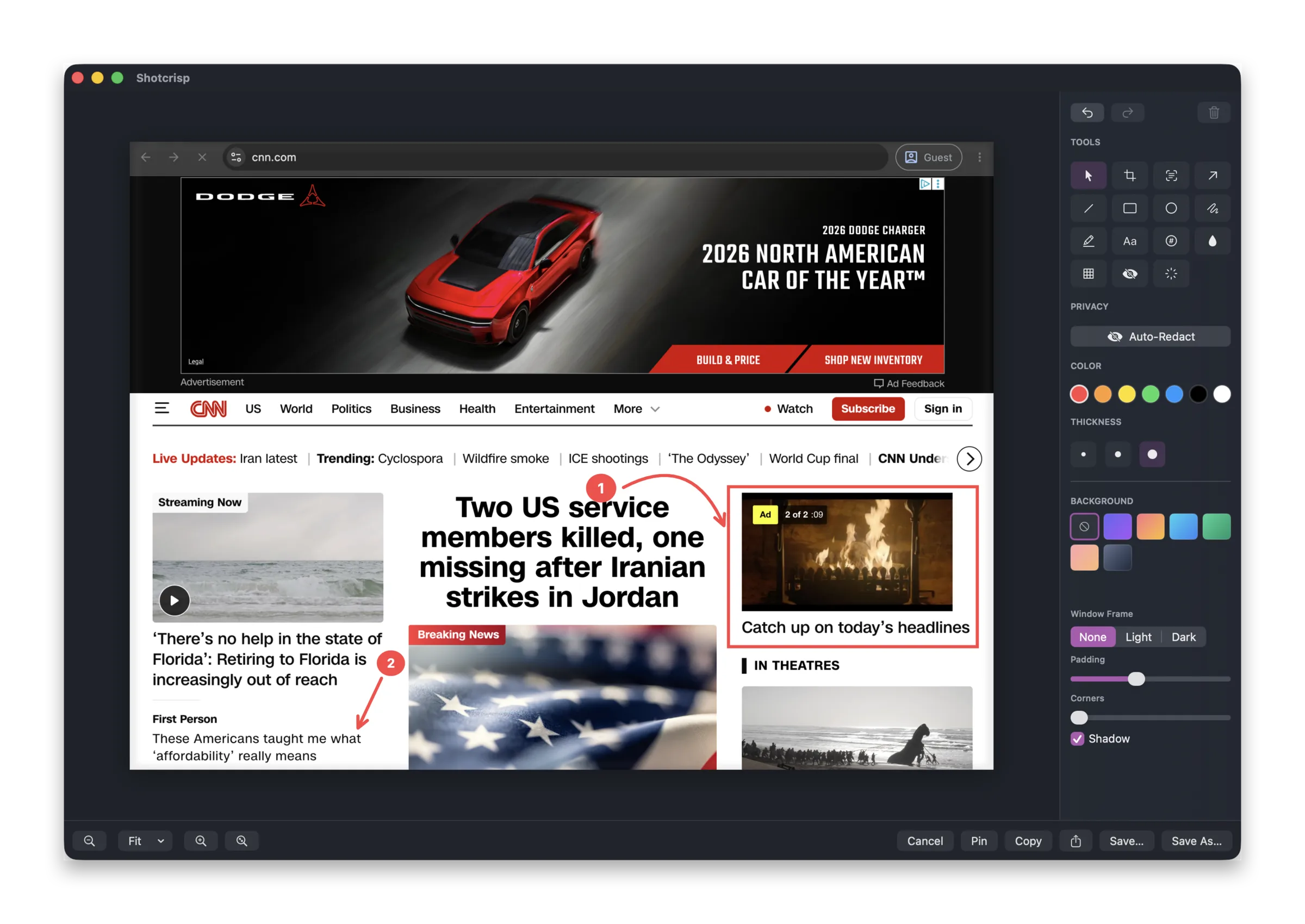
Everything you reach for a screenshot app to do
Area, window, and full-screen capture; scrolling screenshots that stitch a whole page; a full annotation editor with arrows, boxes, blur, and text; screen recording with a webcam bubble; and copy-as-image or share links. The capture and editing side is completely free — no subscription to take a screenshot.
Redaction that is on by default
Auto-Redact blacks out emails, API keys, passwords, and card numbers the moment the editor opens. A never-capture app list keeps 1Password, Signal, or Mail out of every shot, and notification banners and the Dock stay out too. Privacy is the default here, not a setting you remember to flip.
And one thing built for the AI era
Shotcrisp is also a built-in MCP server, so Claude Code and other AI agents can capture your screen, read on-screen text, and annotate — with verified consent and the same automatic redaction. That's a capability a traditional screenshot tool simply doesn't have.
Native, notarized, and yours
A real macOS app, notarized by Apple, distributed as a direct download. Local captures never leave your Mac unless you choose to share them.
Shotcrisp vs CleanShot X at a glance
| Shotcrisp | CleanShot X | |
|---|---|---|
| Capture & editing price | Free | Paid license |
| Auto-redaction of secrets | On by default | — |
| Never-capture app list | Yes | — |
| MCP server for AI agents | Built in | — |
| Scrolling screenshots | Yes | Yes |
| Recording with webcam | Yes | Yes |
| Annotation editor | Yes | Yes |
Frequently asked questions
Is Shotcrisp really free?
Everything local is free: capture, scrolling screenshots, the annotation editor, recording, OCR, redaction. Shotcrisp charges only for the optional cloud — share links, storage, and link analytics.
Do I need an account?
No. The app works fully without one — an account only exists for the opt-in cloud sharing.
Which macOS versions are supported?
macOS 15 or later, on a direct-download app notarized by Apple.
Shotcrisp is an independent product and is not affiliated with or endorsed by CleanShot. The comparison reflects our understanding of publicly documented features as of August 2026 — check the vendor’s site for current details.